 Edoardo Tosin
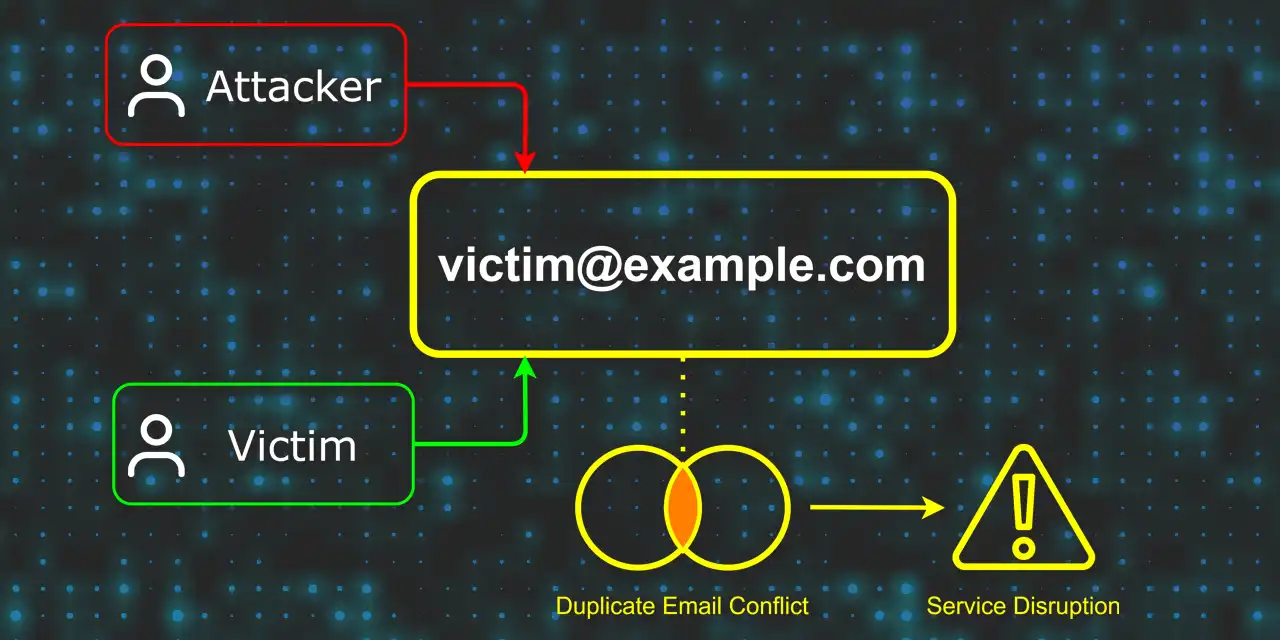
Account lockout does not always require brute force or stolen credentials. A missing uniqueness check on the email update endpoint is enough. This is what I found in a cloud portal.
Background
While managing my own accounts on a cloud data portal associated with a consumer electronics device, I noticed that the email change functionality accepted any email address without validation. Email changes went through a PUT /portal/user request. To test boundary conditions, I tried changing my email to the address of a second personal test account.
It responded with HTTP 200:
{
  "status": "OK",
  "user": {
    "email": "[email protected]"
  }
}
The vulnerability exists because the email update flow fails to check whether the new email address is already registered, despite the same validation being enforced during account creation.
How It Works
Two conditions make this exploitable: the attacker must know the target's email address, and their account must predate the target's. The system resolves email collisions by creation order, so the older account always wins.
-
Setup: Account A (attacker, older):
[email protected]. Account B (victim, newer):[email protected]. -
Collision: The attacker changes Account A's email to
[email protected]via the standard update endpoint. It goes through without error, and the system sends an email change notification to[email protected]. The victim receives it but has no context for it and will likely ignore or dismiss it as spam. -
Lockout: On login,
[email protected]resolves to Account A (the older record), so the victim's password doesn't match and authentication fails. Account B's data stays untouched; the attacker can only access their own Account A.
Password reset doesn't help by default. Requesting a reset for [email protected] again resolves to Account A, so the link arrives in the victim's inbox (they own that address). They click it, set a new password, log in, and land inside Account A. No error appears; the only symptom is that their cloud data seems to have changed.
Recovery: If the victim pieces together what happened, they can change Account A's email to something else while in that session, which frees [email protected] and makes Account B reachable again.
%%{init: {'themeVariables': {'fontSize':'13px','fontFamily':'ui-sans-serif, system-ui, sans-serif'}}}%%

sequenceDiagram
    autonumber
    participant A as Attacker<br/>(Account A)
    participant P as Portal
    participant V as Victim<br/>(Account B)

    Note over A: [email protected] (older account)
    Note over V: [email protected] (newer account)

    rect rgb(240, 240, 245)
        Note over A,P: Attack: Email Collision
        A->>P: Change email to [email protected]
        P-->>A: Accepted (no uniqueness check)
    end

    rect rgb(255, 240, 240)
        Note over V,P: Victim Lockout
        V->>P: Login with [email protected]
        P-->>V: Authentication Failed
    end

    rect rgb(240, 255, 240)
        Note over A,P: Attacker's access unaffected
        A->>P: Login with [email protected]
        P-->>A: Login Success (Account A only)
    end

    rect rgb(255, 250, 240)
        Note over V,P: Password Reset Misdirected
        V->>P: Request password reset
        P-->>V: Reset link sent to [email protected]
        V->>P: Submit new password
        P-->>V: Login succeeds, but lands inside Account A
    end
Impact
- Account lockout: The victim can't log in until the collision is resolved.
- Silent misdirection: Password reset completes without errors but lands the victim inside Account A. Their cloud data appears to have changed; nothing signals they're in the wrong account.
An endpoint that accepts email changes without checking for conflicts undoes whatever validation the registration flow enforces. I reported the finding through a third-party intermediary, who confirmed it was fixed.